Self-storage access control is the combination of hardware and software that governs entry to your facility: the perimeter gate, pedestrian doors, interior corridors, and in some configurations the storage units themselves. It answers three questions on every entry. Is this person authorized? Where and when are they allowed in? And is there a record of it?
For most of the industry's history, the answer was a keypad and a shared code. That model creates a familiar set of problems: codes get shared, forgotten, and reset; delinquent tenants keep entering; and the entry log, if one exists, tells you a code was used but not reliably who used it.
Modern self-storage access control replaces the shared code with individual credentials, usually on the tenant's phone, managed from a cloud portal. Every entry ties to a specific person, access can be granted or revoked in seconds from anywhere, and the log becomes a real operational record instead of a guess.
This matters more in self-storage than in almost any other property type, because in more than 50,000 facilities across the United States, per the Self Storage Association, a growing share operate with lean staff or no staff on site at all. When no one is at the front desk, the access control system is the front desk.
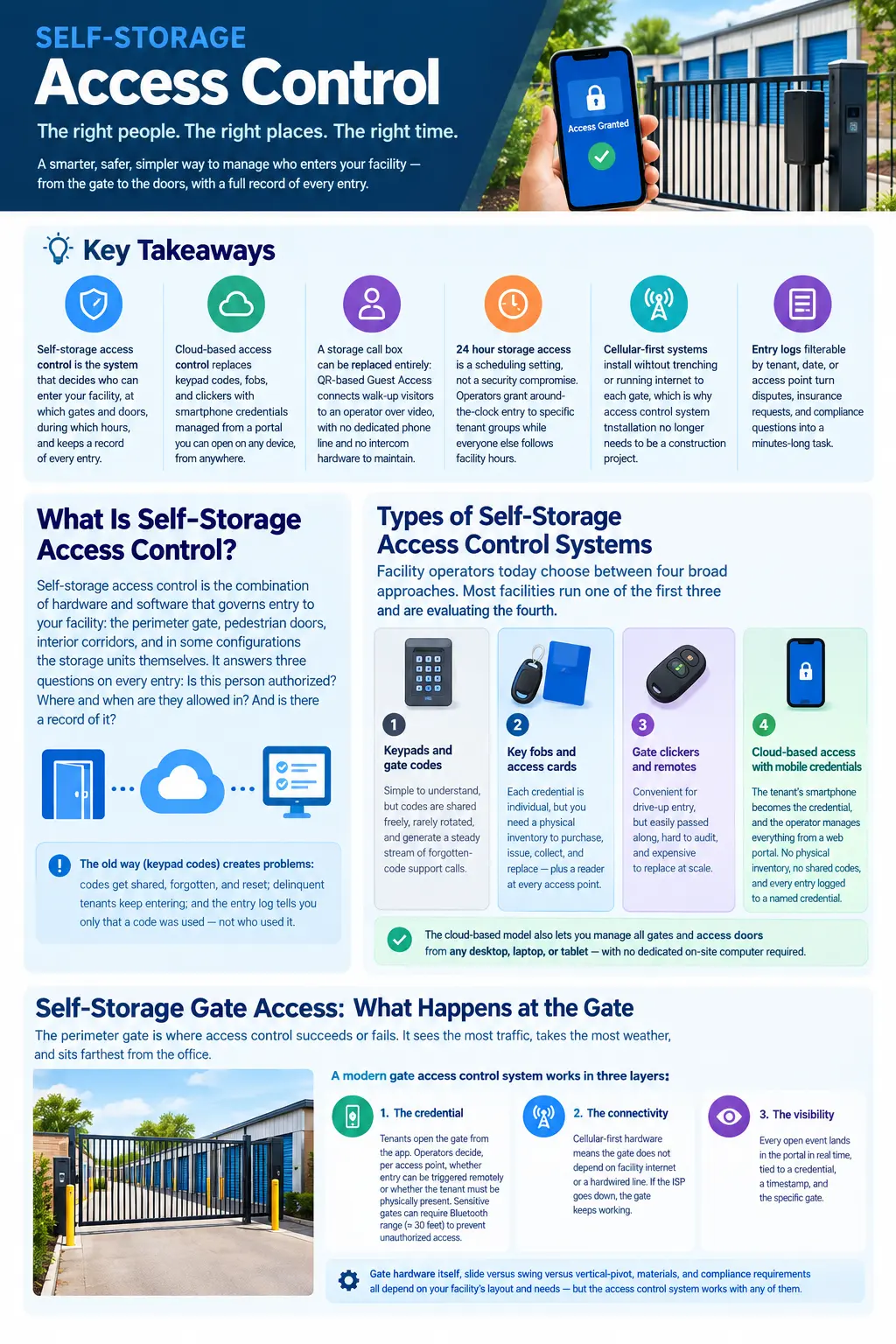
Facility operators today choose between four broad approaches. Most facilities run one of the first three and are evaluating the fourth.
Keypads and gate codes. The incumbent. Tenants punch a code at the storage gate keypad. Simple to understand, but codes are shared freely, rarely rotated, and generate a steady stream of forgotten-code support calls. Keypad replacement is one of the most common reasons operators start researching new systems.
Key fobs and access cards. A step up from shared codes because each credential is individual. The tradeoff is a physical inventory to purchase, issue, collect, and replace, plus a reader at every access point. Lost fobs become a recurring cost line and a recurring security question.
Gate clickers and remotes. Convenient for drive-up entry, but clickers are easily passed along, hard to audit, and expensive to replace at scale.
Cloud-based access control with mobile credentials. The tenant's smartphone becomes the credential, and the operator manages everything from a web portal. No physical inventory, no shared codes, and every entry logged to a named credential. Because the portal is cloud-based, you can manage all gates and access doors from any desktop, laptop, or tablet, with no dedicated on-site computer required.
The rest of this guide focuses on how the cloud-based model handles the specific realities of a storage facility: the gate, the visitor, the 3 a.m. tenant, the audit request, and the installation itself.
The perimeter gate is where storage gate access control succeeds or fails. It sees the most traffic, takes the most weather, and sits farthest from the office.
A modern gate access control system handles the gate in three layers:
The credential. Tenants open the gate from the app on their phone. Operators decide, per access point, whether entry can be triggered remotely or whether the tenant must be physically present. Sensitive gates can be designated short-range, requiring tenants to be within Bluetooth range, roughly 30 feet, to open them, which prevents anyone from opening a gate they are not standing in front of.
The connectivity. Cellular-first hardware means the gate does not depend on facility internet or a hardwired line. If the ISP goes down, the gate keeps working.
The visibility. Every open event lands in the portal in real time, tied to a credential, a timestamp, and the specific gate.
Gate hardware itself, slide versus swing versus vertical-pivot, materials, and compliance standards, is its own topic. For a deeper look at the physical side, see our guide to choosing the right gate access system for a self-storage facility.
Keyless Entry for Storage Facilities: Mobile and Smartphone Gate Access
Keyless entry for storage facilities means the tenant carries nothing extra. No fob, no card, no code on a sticky note. Their phone is the key.
In practice, smartphone gate access works through multiple methods running in parallel, so no single method is a point of failure. The app handles everyday entry. Digital wallet credentials add tap-to-enter that works like contactless payment, even when the phone battery dies, because the credential lives on the device's secure element. PIN entry remains available as a fallback.
For the operator, mobile gate access removes two entire categories of work: physical credential inventory (buying, issuing, collecting, replacing) and code management (issuing, resetting, fielding forgotten-code calls). Revoking access when a tenant moves out or goes delinquent becomes a portal action that takes effect immediately, at every access point, instead of a code change that inconveniences every tenant at once.
A note on smart locks for storage units: unit-level electronic locks extend keyless entry from the gate to the individual door. They are a natural expansion path once gate and corridor access is running on one platform, and the right configuration depends on your facility layout and unit mix, which is a quote conversation rather than a spec sheet.
Every facility gets visitors who are not tenants: walk-up prospects, contractors, delivery drivers, a tenant's family member. The traditional answer is the storage call box or self-storage intercom at the gate, and it is one of the most failure-prone pieces of hardware on the property. Older call box systems require a dedicated phone line, and the hardware carries a recurring maintenance line item.
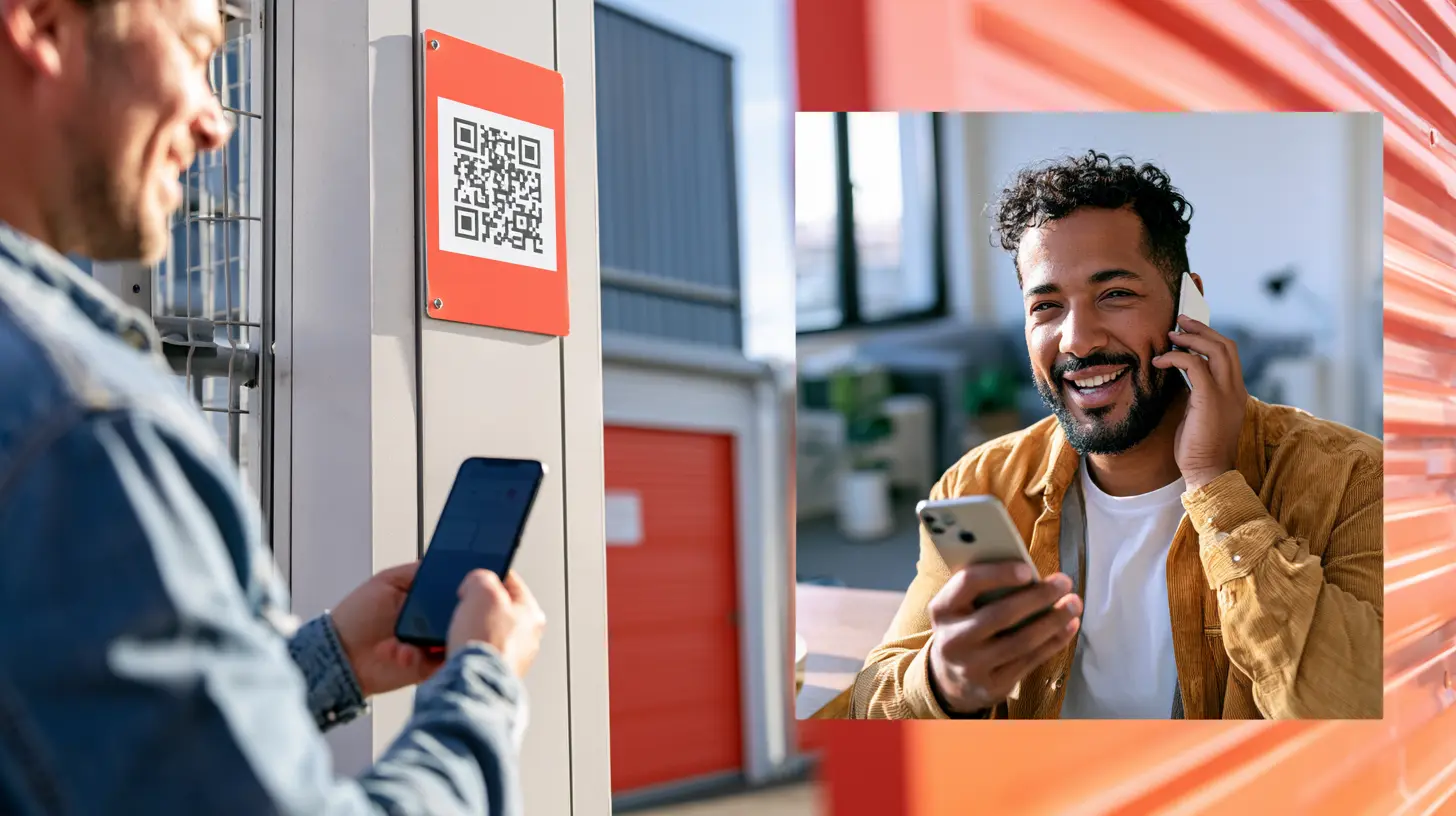
Guest Access replaces both. The visitor scans a QR code at the gate, and the call routes as a video connection to whoever should answer: an on-site manager, or a remote operator anywhere in the world. The operator can see the visitor, verify the situation, answer questions, and grant one-time entry through a request workflow. No dedicated phone line, no legacy intercom, and no extra hardware at the gate.
For scheduled visits, the same platform issues Visitor Keys in advance: a manager can grant a prospect a tour window or a contractor a service window, with every gate entry logged automatically. The credential expires on its own when the window closes, so there is no cleanup step and no code floating around afterward.
This is the capability that makes the remotely managed operating model work. A prospect who arrives at an unstaffed facility gets a real-time answer and a path to a rental instead of a closed gate, and the operator captured that demand from a phone, wherever they happened to be.
Tenants increasingly expect 24 hour storage access, and operators increasingly want to offer it without opening the whole facility to everyone at all hours. Scheduling is how a cloud-based system squares that.
From the portal, operators define default operating hours that automatically control access, create custom schedules for holidays or maintenance periods, and override schedules for one-off adjustments. Schedules sync across every access point, so facility-wide hours stay consistent without touching each gate.
Layered on top of facility hours, user groups carry their own rules. A commercial tenant who needs around-the-clock entry gets it as a group setting, while standard tenants follow posted hours and maintenance personnel follow theirs. Operators can also choose which access points are visible to each user group in the app, so a tenant sees only the gates relevant to them and staff see everything.
The practical effect: 24-hour access becomes a revenue and service decision you make per tenant group, not an all-or-nothing security posture.
Storage facility security rests on two capabilities: controlling who gets in, and knowing who got in. The second one is where shared-code systems fail completely and where a modern storage facility audit trail earns its keep.
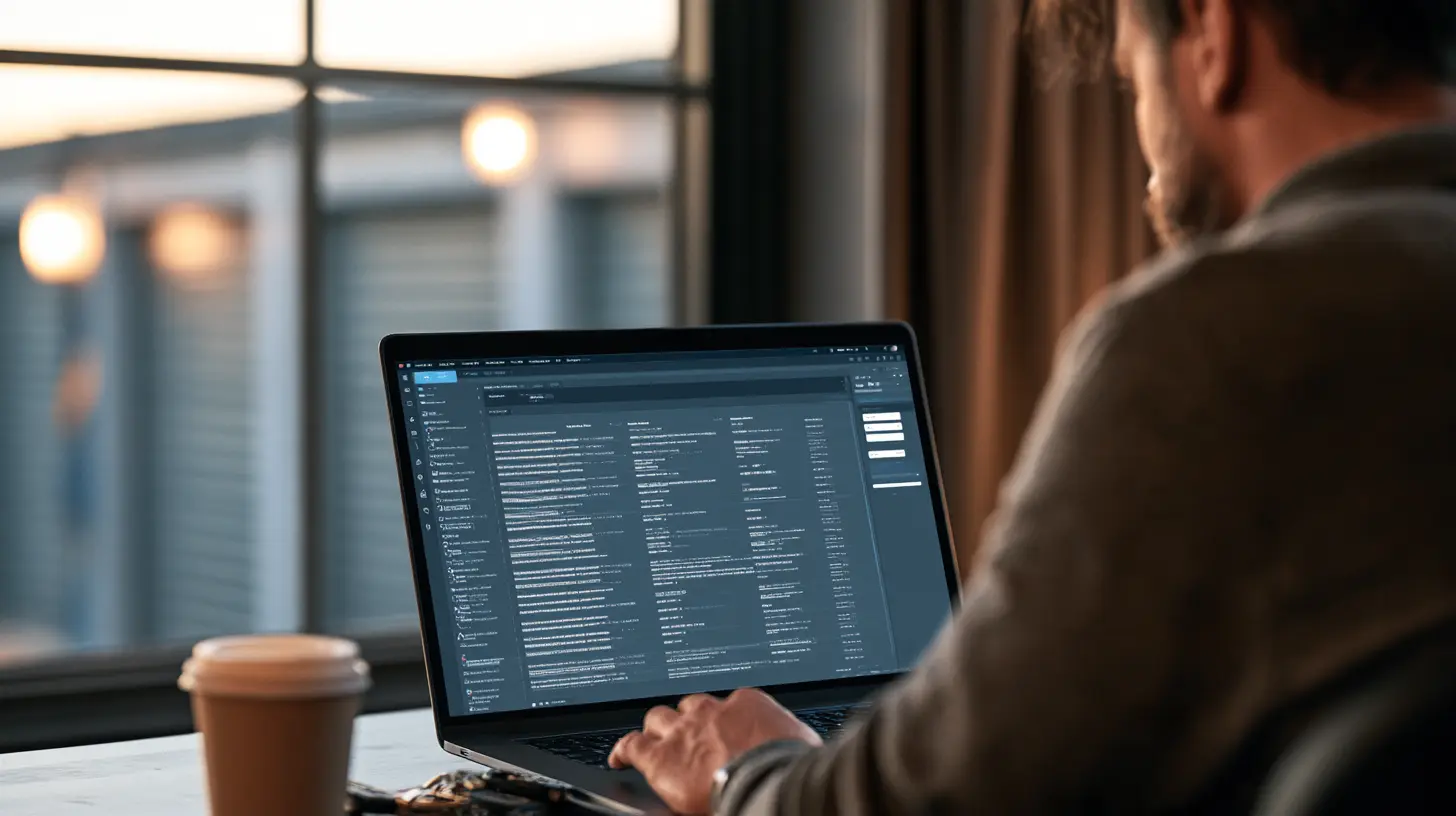
With individual credentials, the entry log becomes specific. Operators view detailed logs showing who accessed which gates and doors and when, filter activity by date range, access point, or user, and export logs for record-keeping. A tenant disputes a late fee tied to gate hours: pull their entries in seconds. An insurance carrier or corporate client asks for access history on a specific unit corridor: filter and export. Something looks off at a back gate: the log shows exactly which credentials used it and when.
Real-time visibility also changes day-to-day security posture. Instead of discovering a problem days later, operators monitor all entry and exit events at the facility in real time and can revoke any credential immediately from wherever they are. Gatewise supports your access policies and gives you the record to enforce them; the policies themselves stay yours to set.
Access control system installation is the step operators dread, usually because they picture the old model: trenching conduit, running phone or internet lines to every gate, and weeks of disruption.
Cellular-first installation removes most of that. No trenching, no internet runs, no infrastructure overhaul: the system runs on cellular and installs at any gate location without extensive modifications to existing structures. Because no data line needs to reach each access point, the far gate is no harder to bring online than the front entrance, and installation stays short for any property size.
For facilities currently running keypads, the transition replaces the keypad workflow rather than layering on top of it, so the facility runs on a single platform with one source of truth. Tenants migrate to app-based entry at their own pace, with PIN available during the changeover. Where a keypad is still a hard requirement at the entrance, whether by local code, insurance policy, or operator preference, a modern keypad that supports codes, app-based access, and tap-to-open can be part of the configuration. Emergency services access stays in place where required by code.
Hardware specifics vary by facility, gate operators in place, and layout, which is exactly what the quote process is for: the right configuration is scoped to your site, not pulled from a generic parts list.
How to Choose a Self-Storage Access Control System
Match the system to your operating model, not the other way around. Five questions separate the contenders:
1. Does it work without internet at the gate? Cellular-first connectivity is the difference between a system that depends on your ISP and one that does not. Ask specifically what happens at each access point when facility internet goes down.
2. Can it run your staffing model? Whether you are a single-facility independent with a staffed office, a lean-staffed operation, or a fully remote-managed portfolio, the platform should handle visitor entry, prospect capture, and tenant support in that model. Guest Access with remote video answering is the test case: if a walk-up prospect at 7 p.m. on a Sunday reaches a human, the system fits.
3. How good is the audit trail? Filterable by tenant, date, and access point. Exportable. Real time. Anything less turns every dispute into an archaeology project.
4. Does scheduling flex by group? 24-hour access for the tenants who pay for it, facility hours for everyone else, service windows for contractors, all without manual babysitting.
5. Does it scale to more sites? Multi-facility operators should manage every location from one portal with consistent workflows, and single-facility operators should have that path open. One platform, trusted across 500,000+ units nationwide, runs the same way at one facility or fifty.
If those five questions match what your facility needs, the next step is seeing the platform against your actual gate count and layout. Start with the Gatewise self-storage access control solution, and if the financial case is the open question, the access control savings calculator frames it with your own numbers.
Ready to see it live? Schedule a demo and walk through your facility's specific access points with the team.
What is self-storage access control? Self-storage access control is the system that manages entry to a storage facility's gates, doors, and corridors. It authorizes who can enter, sets when and where each person can enter, and records every entry. Modern systems are cloud-based, use smartphone credentials instead of shared gate codes, and are managed from a web portal accessible on any device.
How is cloud-based access control different from a keypad system? A keypad system authorizes a code; a cloud-based system authorizes a person. Individual smartphone credentials mean every entry is tied to a named tenant, access can be revoked instantly from anywhere, and there are no shared codes to rotate or forgotten-code calls to field. The management portal works from any desktop, laptop, or tablet, with no dedicated on-site computer.
Can tenants get 24 hour storage access? Yes, as a per-group setting. Operators define default facility hours, then grant around-the-clock access to specific tenant groups who need it, such as commercial tenants. Custom schedules cover holidays and maintenance windows, and overrides handle one-off changes.
What replaces the storage call box at an unstaffed facility? QR-based Guest Access. A visitor scans a QR code at the gate and connects over video to an on-site manager or a remote operator, who can verify the visitor, answer questions, and grant one-time entry. It requires no dedicated phone line and no intercom hardware to maintain.
What does access control system installation involve at a storage facility? With a cellular-first system, installation requires no trenching and no internet runs to each gate. Hardware installs at any gate location without extensive modifications to existing structures, and installation stays short for any property size. Configuration is scoped to your specific facility through the quote process.
Do I still need a keypad at my gate? Only if your local code, insurance policy, or operating preference requires one. In that case, a modern keypad supporting codes, app-based access, and tap-to-open can be part of the configuration. Otherwise, phone-first access removes code management from operations entirely.
Can I pull entry history for one tenant or one gate? Yes. Entry logs filter by date range, access point, or user, and export for record-keeping, insurance requests, or compliance. Activity is visible in real time, so questions get answered in minutes rather than days.
See how smart access would run at your facility's actual gates and doors: book a demo and walk through it with the team.
Gatewise offers a simple and modern gate entry system that provides residents with a mobile app and managers with a cloud-based management portal.